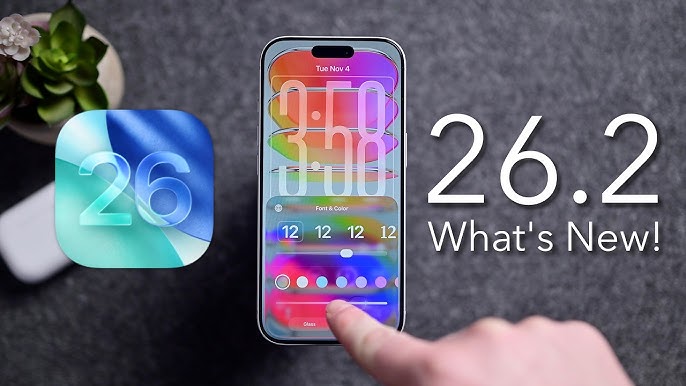
Apple has rolled out iOS 26.2 for iPhone and iPadOS 26.2 for iPad, delivering a significant mid-cycle update packed with user-requested features, interface refinements, and critical security patches. Released on December 12, 2025, this update follows iOS 26.1 by just over a month and brings substantial changes, including a much finer control over the Liquid Glass Lock Screen, alarms within the Reminders app, offline lyrics for Apple Music, and the return of a beloved multitasking method on iPad.
Liquid Glass Lock Screen Slider
Gain precise control over the appearance of your Lock Screen clock with a new opacity slider. Adjust the Liquid Glass material to be nearly clear or more frosted.
Restored iPad Multitasking
Drag and drop apps from the Dock or Spotlight to create Split View or Slide Over windows—a feature restored after being removed in iPadOS 26.0.
Alarms for Reminders
Mark a reminder as "Urgent" to trigger a system alarm when it's due, complete with snooze options and a Live Activity on your Lock Screen.
A Closer Look at Key Features
Enhanced Security with AirDrop Codes
A new security layer has been added to AirDrop for sharing with people not in your contacts. You can now generate a one-time code on the receiver's device, which the sender must enter to complete the transfer. This shared access lasts for 30 days and can be managed in Settings. This provides a flexible and secure middle ground between the "Contacts Only" and "Everyone for 10 Minutes" options.
Apple Music & Podcasts Get Smarter
Apple Music now supports offline lyrics for downloaded songs, so you can sing along anywhere. Your "Favorite Songs" playlist also gets a more prominent spot in the "Top Picks" section on the Home tab. For podcast listeners, the Podcasts app now uses AI to automatically generate chapters for easier navigation and can show you links to other podcasts mentioned during an episode.
Productivity and Accessibility Boosts
The Freeform app gains support for tables with cells that intelligently resize to fit content like text, images, and drawings. For users in the United States, Enhanced Safety Alerts now provide richer information like maps of affected areas and links to safety guidance for imminent threats. An Accessibility update allows the screen itself to flash for alerts, in addition to the LED flash on the back.
⚠️ Critical Security Update Recommended
This update patches over 20 security vulnerabilities, including two WebKit bugs that Apple reports may have been actively exploited against targeted individuals on versions of iOS before iOS 26. These vulnerabilities could allow malicious web content to execute code. Other fixes prevent unauthorized access to the Hidden Photo Album and sensitive App Store payment tokens. Apple strongly recommends all users install this update promptly.
How to Install & Compatibility
Back Up Your Device
Before updating, ensure you have a recent backup via iCloud or your computer to prevent data loss.
Connect to Power & Wi-Fi
Plug your iPhone or iPad into a power source and connect to a stable Wi-Fi network for a smooth download.
Navigate to Software Update
Open the Settings app, tap General, then select Software Update. Tap "Download and Install".
Compatible Devices
iOS 26.2 is available for iPhone 11 and later models, as well as the second-generation iPhone SE. iPadOS 26.2 is available for all iPad models that support iPadOS 26.