A Creative Revolution Inside Your Chat Window
In a landmark partnership, Adobe has brought its flagship creative and productivity tools directly into ChatGPT, making professional-grade editing accessible to the platform's 800 million weekly users for free. Starting December 10, 2025, anyone can use Adobe Photoshop, Adobe Express, and Adobe Acrobat simply by describing what they want to achieve in natural language, without ever leaving the ChatGPT interface.
This integration represents a significant step in Adobe's strategy to democratize creativity through "agentic AI" and reach users where they already are. David Wadhwani, president of digital media at Adobe, stated: "We're thrilled to bring Photoshop, Adobe Express and Acrobat directly into ChatGPT... Now hundreds of millions of people can edit with Photoshop simply by using their own words, right inside a platform that's already part of their day-to-day."
Three Powerhouse Apps, One Simple Interface
Bring the power of Photoshop to your photos through simple conversation. The integration allows for precise edits that were previously daunting for non-professionals.
Key Capabilities:
- Targeted Edits: Adjust specific parts of an image (e.g., "brighten the face").
- Manual Control: Fine-tune adjustments like brightness, contrast, and exposure with intuitive sliders that appear in the chat.
- Creative Effects: Apply artistic filters like Glitch, Glow, Tritone, Halftone, and more.
- Object Recognition: Ask to edit "the dog in the corner" or "the car," and Photoshop will identify it.
For complex work, a prominent "Open in Photoshop" button lets you seamlessly transition to the full web app with all adjustments preserved.
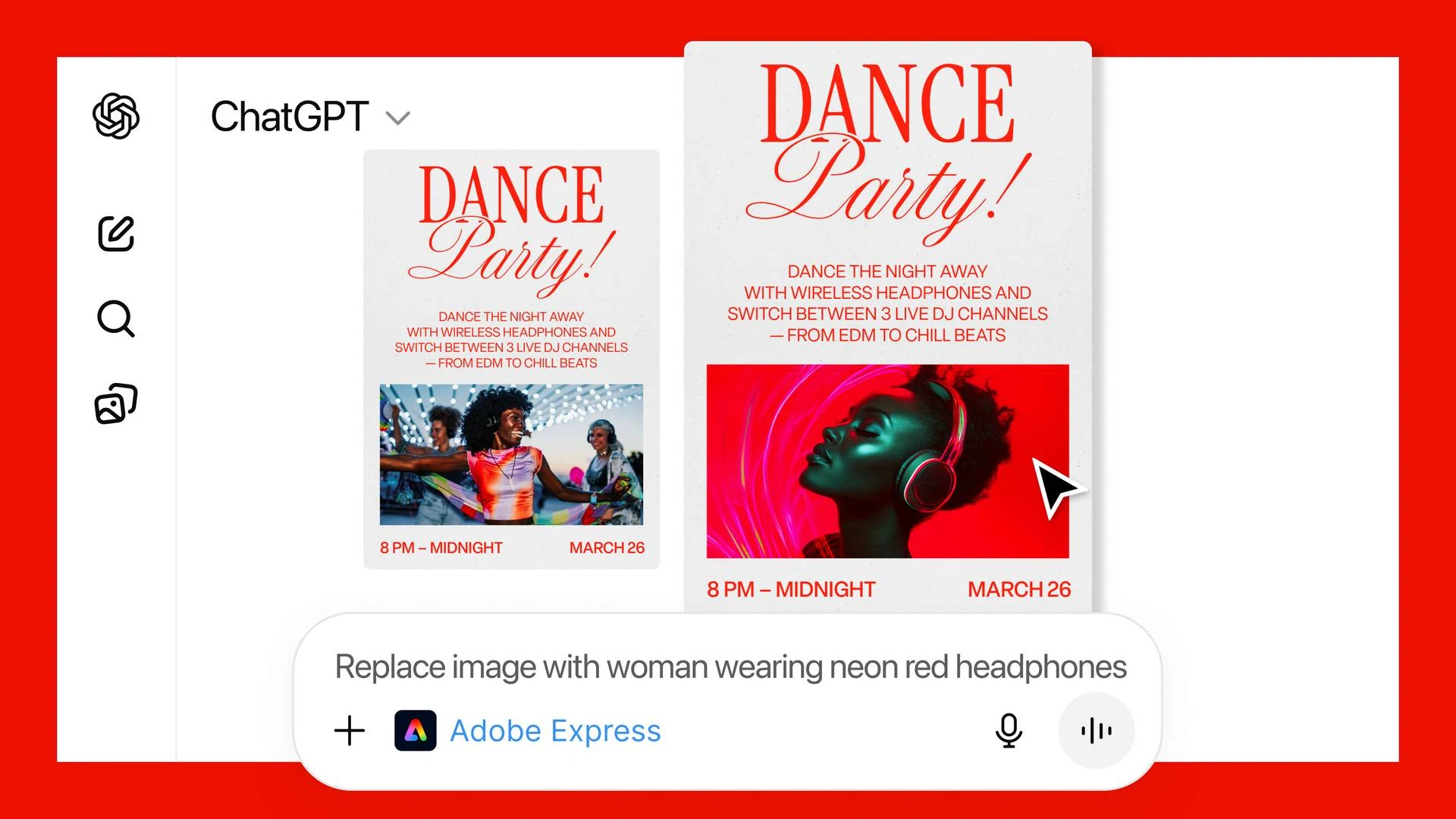
Create professional designs for any occasion—invitations, social media posts, flyers—without any design experience.
Key Capabilities:
- Template Library: Browse and customize from Adobe's extensive collection of professional designs.
- Live Editing: Replace text, swap images, change colors, and animate elements directly in the chat.
- Animation: Request animations like "a popping animation" for your design.
- Iterative Design: Ask for sequential changes: "Make the robot bigger, now change the purple to dark red."
Handle documents intelligently. Upload a PDF and instruct ChatGPT to modify, organize, or extract information from it.
Key Capabilities:
- Merge & Organize: Combine multiple files into one, with a drag-and-drop interface to reorder pages.
- Edit Text: Directly edit and format text within a PDF.
- Extract Data: Pull out specific text, tables, or data.
- Compress & Convert: Reduce file size or convert documents to PDF while preserving formatting.
- Redaction: Easily remove sensitive details from documents.
How to Start: The process is remarkably simple. Just type the app's name at the beginning of your prompt (e.g., "Adobe Photoshop,..."). ChatGPT recognizes the intent and activates the tool. For first-time use, you'll need to connect a free Adobe account in the ChatGPT settings under Settings > Apps & Connectors.
Free Access, Wide Availability & Strategic Moves
Pricing & Availability Completely Free
In a major surprise, Adobe is offering these powerful integrations free of charge to all ChatGPT users, requiring neither a ChatGPT Plus subscription nor an Adobe Creative Cloud plan.
Platform Availability:
The Bigger Picture: A Strategic Play
This move is a strategic masterstroke for both companies in a highly competitive AI landscape.
- For Adobe: It introduces its tools to a vast new audience of 800 million potential users, acting as a powerful "freemium" funnel. Users who need more advanced features can easily click through to the full, subscription-based Adobe apps.
- For OpenAI/ChatGPT: It significantly enriches the ChatGPT ecosystem, making it a more versatile "everything app" and helping it compete with rivals like Google's Gemini, which has its own image editing features.
- For Users: It breaks down the skill barrier to professional creative work, fulfilling Adobe's mission to "make creativity accessible for everyone". As one hands-on review noted, it's particularly useful for "quick, basic edits you want to type out in natural language".
Final Verdict: A Game-Changer for Casual Creators
The integration of Adobe's apps into ChatGPT is more than just a new feature—it's a paradigm shift in how we interact with creative software. By leveraging the simplicity of conversational AI, it empowers millions to perform tasks they might have never attempted in a traditional desktop app.
Who It's For: This is a dream tool for casual users, small business owners, students, and anyone who needs to quickly polish a photo, design a flyer, or manage a document without a steep learning curve.
Limitations to Note: It doesn't replace the full, granular control of the desktop applications (e.g., no layer or mask editing in Photoshop). For complex, professional projects, you'll still need the dedicated apps.
The Bottom Line: Adobe and OpenAI have successfully lowered the barrier to entry for high-quality digital creativity. By making industry-leading tools free and accessible through plain language, they've opened up a world of creative possibility to ChatGPT's massive user base, changing the game for AI-assisted productivity.