The Firmware That Changed Everything
The breakthrough comes via firmware update v01.00.0500 for the DJI Neo 2, paired with the updated DJI Fly app v1.19.4 . This marks the first time a mainstream DJI drone has offered full Apple Watch remote control, though DJI has previously offered similar functionality for its smartphone gimbals .
A Futuristic Leap in Drone Operation
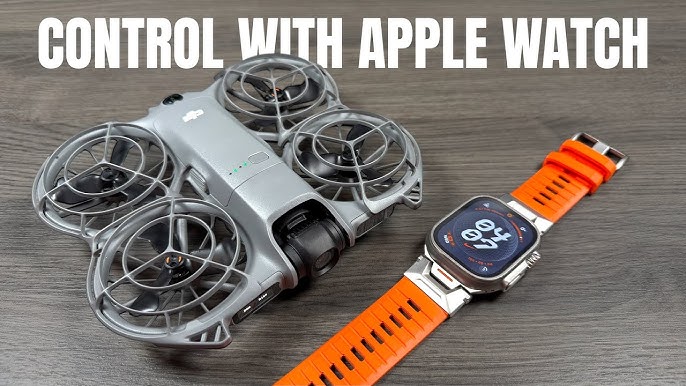
DJI has transformed the drone flying experience with a groundbreaking firmware update that makes the DJI Neo 2 "the most Apple-friendly drone ever" . By enabling full Apple Watch remote control, pilots can now steer, track subjects, record footage, and manage flight operations directly from their wrist . This represents a significant evolution in convenience, particularly for active users who previously had to juggle phones or controllers during movement.
The update arrives just a month after the Neo 2's launch in November 2025, showcasing DJI's commitment to enhancing its products post-release . While the DJI Flip and original Neo are also slated to receive Apple Watch compatibility soon, the Neo 2 leads the pack with immediate, full functionality .
Compatibility & Core Functionality
To access the new wrist-based controls, users need specific hardware and software combinations. The system requires both the drone and Apple Watch to be running compatible versions.
It's important to note that while the Apple Watch serves as a powerful control interface, it doesn't replace the smartphone entirely. The DJI Fly app must be running on both your iPhone and Apple Watch, with the phone handling the heavy computational lifting while maintaining the connection to the drone . This architecture ensures reliability while freeing users from needing to hold or look at their phone during active scenarios.
Transformative Features for Active Users
Live Camera View with "Wrist Logic"
One of the most impressive features is the live camera feed displayed directly on the Apple Watch screen . However, this operates under Apple's power-saving "Wrist Logic": lowering your wrist pauses the live view to save battery, while raising your wrist or tapping the screen instantly resumes the feed . This intelligent compromise balances functionality with the Watch's battery constraints.
Integrated Voice Control & Audio Capture
By granting microphone access to the DJI Fly app on your iPhone and enabling "Voice Control" in settings, you can issue spoken commands directly from your watch . Furthermore, with "App Recording" enabled, your Apple Watch doubles as a portable microphone, capturing ambient audio or commentary while the drone films from above .
Phone-Independent Operation
A major quality-of-life improvement is the ability to lock your iPhone screen, switch to another app, or put the phone in your pocket while maintaining full control via the Apple Watch . As long as the DJI Fly app runs in the background on your phone, the watch-to-drone connection remains active, truly enabling hands-free operation.
Perfect for Active Lifestyles
DJI specifically highlights that this feature "shines during sports scenarios like cycling and running — basically any moment where grabbing your phone or controller is inconvenient" . The update targets athletes, travelers, vloggers, and outdoor enthusiasts who want to capture dynamic footage without interrupting their activity .
Cycling & Trail Riding
Keep hands on handlebars while your drone follows and captures footage, controlled by voice or quick wrist taps .
Running & Hiking
Start tracking and recording without breaking stride. Monitor the drone's view and battery from your wrist .
Vlogging & Content Creation
Frame the perfect selfie shot using the live watch view. Use voice commands to trigger recording modes hands-free .
Technical Notes & Wider Update
This Apple Watch support is part of a broader firmware ecosystem refresh from DJI. The same December 2025 update also brings beep notifications for when tracking loses the subject or battery is low, plus various bug fixes for improved stability . Updates have rolled out across DJI's accessory ecosystem, including the RC-N3, Goggles 3, RC Motion 3, and other controllers .
The Neo 2 itself is a capable platform for this innovation. Weighing under 250g, it features omnidirectional obstacle sensing with forward-facing LiDAR, a 12MP camera capable of 4K/100fps slow-motion video, and multiple control methods including gesture and voice control . This advanced sensor suite makes wrist-based control practical and safe, as the drone can intelligently avoid obstacles while responding to your commands .
Redefining Personal Drone Convenience
DJI's Apple Watch integration for the Neo 2 represents a strategic move to deeply embed the drone within the Apple ecosystem, targeting the vast market of iPhone users looking for an accessible, intuitive aerial camera . By reducing friction and enabling true hands-free operation during active pursuits, DJI isn't just adding a feature—it's creating a new category of wearable-controlled photography.
For current Neo 2 owners, the free firmware update transforms their device overnight. For prospective buyers in the market for a "personal follow-me camera drone," this update makes the Neo 2 arguably the most convenient and Apple-integrated option available . As drone technology continues to miniaturize and become more intelligent, control shifting from dedicated remotes to the wearables we already use daily feels like a natural, inevitable step into a more connected future.