🚀 Revolutionizing Living Room Gaming
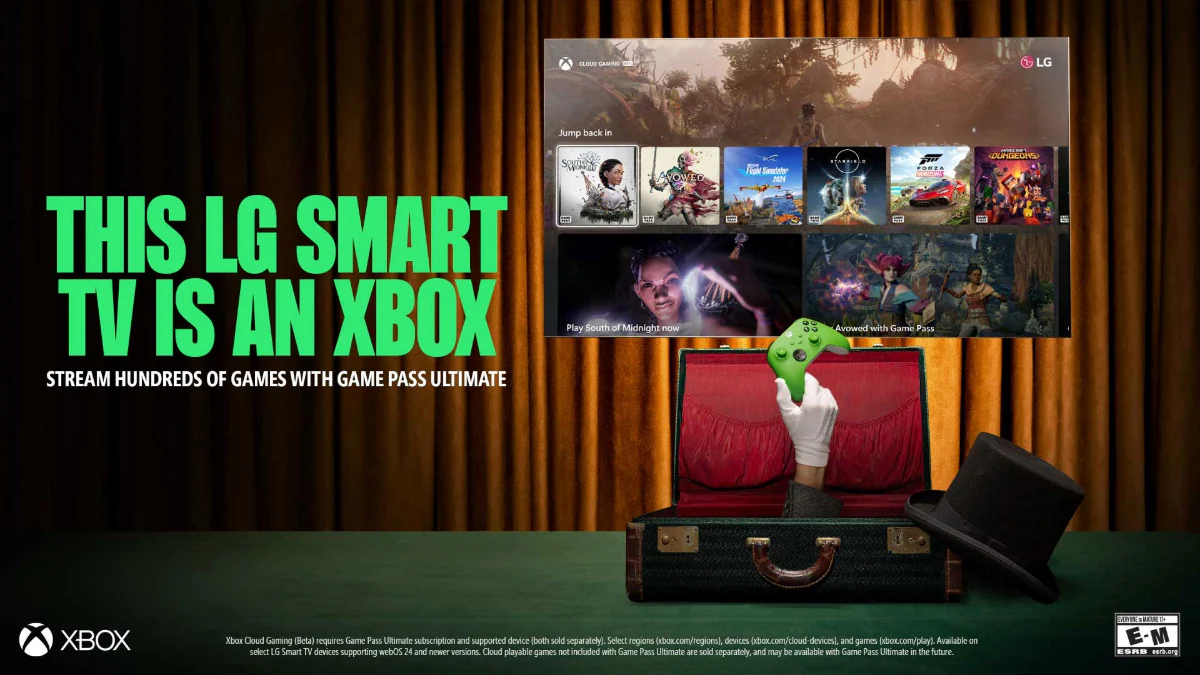
LG has officially launched its new Gaming Portal in India, bringing native Xbox cloud gaming support to compatible LG Smart TVs. This groundbreaking update allows users to stream and play Xbox games directly on their television without needing an Xbox console, making high-quality gaming more accessible than ever before .
LG Gaming Portal: A Unified Hub for Cloud Gaming
South Korean electronics giant LG has announced the launch of its innovative Gaming Portal in the Indian market, featuring native integration with Xbox Cloud Gaming . This strategic move transforms compatible LG Smart TVs into powerful gaming platforms without the need for additional hardware or consoles.
The LG Gaming Portal serves as a unified hub that brings together cloud gaming services, allowing users to instantly access thousands of games without downloads or complex setup processes . According to Brian Jung, Director at LG Media Entertainment Solution Company, "We're thrilled to bring LG Gaming Portal with Xbox to LG Smart TVs in India. The Gaming Portal is designed to make gaming more accessible, convenient, and enjoyable for everyone—from hardcore gamers to casual players" .
Massive Game Library & Premium Features
| Total Cloud Games | 4,000+ cloud-streamed titles |
| Free Games | 600+ free single and multiplayer titles |
| Popular Titles | Forza Horizon 5, Call of Duty: Black Ops 7, Raji: An Ancient Epic |
| Refresh Rate | Up to 165Hz VRR (Variable Refresh Rate) |
| Response Time | Intertek-certified 0.1ms Pixel Response Time |
| Sync Technology | G-Sync compatibility & AMD FreeSync Premium |
The gaming portal offers an extensive library that caters to all types of gamers, from casual players to hardcore enthusiasts. The inclusion of popular AAA titles like Forza Horizon 5 and Call of Duty: Black Ops 7, along with Indian-developed games like Raji: An Ancient Epic, ensures there's something for every gaming preference .
LG's premium TV models enhance the cloud gaming experience with cutting-edge display technologies. Features like 165Hz variable refresh rate, 0.1ms response time, and G-Sync compatibility work together to reduce lag, minimize motion blur, and deliver smooth, responsive gameplay that rivals traditional console experiences .
Xbox Game Pass Plans for Indian Gamers
Subscription Plans in India
Essential - ₹499/month
First month: ₹99
- 50+ games across console, PC, and supported devices
- Cloud streaming including select owned titles
- Online console multiplayer
- Up to 25,000 Rewards points annually
Premium - ₹699/month
First 14 days: ₹99
- 200+ games across devices
- New Xbox-published titles within 12 months of launch
- Shorter cloud-streaming wait times
- Up to 50,000 Rewards points annually
Ultimate - ₹1,389/month
- 400+ games across console, PC, and cloud
- Day-one access to new games
- Includes Fortnite Crew, EA Play, and Ubisoft+ Classics
- Up to 100,000 Rewards points annually
Compatibility and Rollout Information
| Supported Models | 2021-2025 LG webOS Smart TVs |
| Platform | webOS with LG Gaming Portal |
| Rollout Pattern | Phased software update across major Indian cities |
| Access Method | Via LG home screen after software update |
The Xbox Cloud Gaming feature is currently rolling out in phases to compatible LG Smart TV models through software updates . Users with 2021-2025 LG webOS TVs should watch for the update notification, after which they'll find the Gaming Portal readily accessible from their LG home screen.
The rollout is beginning in major Indian metropolitan areas and will gradually expand to cover more regions. LG has indicated that the update availability may vary depending on the specific TV model and geographical location within India .
How to Get Started with Xbox Cloud Gaming
Setting up Xbox Cloud Gaming on compatible LG Smart TVs is a straightforward process that requires just a few simple steps:
Step 1: Check Compatibility
Ensure your LG Smart TV is from 2021-2025 and has received the latest software update containing the Gaming Portal .
Step 2: Access Gaming Portal
Navigate to the LG home screen and locate the new Gaming Portal interface that appears after the update .
Step 3: Subscribe to Game Pass
Choose an Xbox Game Pass plan that suits your gaming needs and budget from the three available tiers in India .
Step 4: Connect Controller
Pair a compatible Bluetooth controller with your LG Smart TV for the optimal gaming experience .
Step 5: Start Playing
Select your desired game from the extensive library and begin playing instantly through cloud streaming .
Transforming the Indian Gaming Landscape
The introduction of Xbox Cloud Gaming on LG Smart TVs represents a significant milestone in India's rapidly growing gaming ecosystem. By eliminating the need for expensive console hardware, LG and Microsoft are making premium gaming experiences accessible to a much broader audience across the country .
This move aligns with the increasing trend toward cloud-based entertainment solutions and subscription services. For millions of Indian households, the living room television is now transforming into a comprehensive entertainment hub that seamlessly blends traditional content with interactive gaming experiences .
As Brian Jung of LG emphasized, this initiative is designed to cater to "everyone—from hardcore gamers to casual players," potentially accelerating the adoption of cloud gaming technology throughout the Indian subcontinent and setting new standards for accessible, high-quality gaming entertainment .